How Low-Power Mode Automation Scripts on iPhones and Android Devices Are Extending Daily Battery Life for Travelers Without Requiring Hardware Upgrades
Chris Martinez
10/16/2026
5 min read
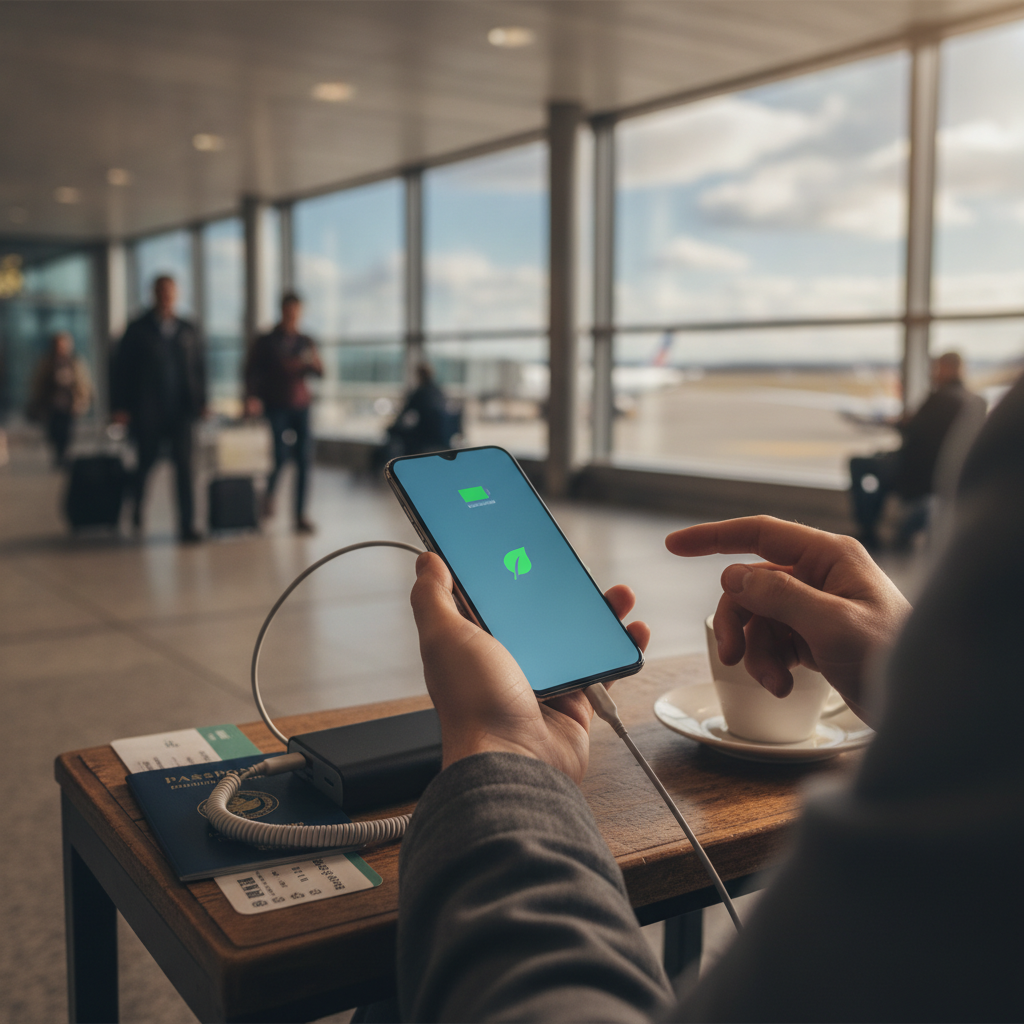
There is a particular kind of dread that settles in around the third hour of a long travel day — the moment a phone screen dims unexpectedly and the battery percentage reads somewhere in the twenties. For travelers moving through airports, transit hubs, and unfamiliar cities, that number isn't just a statistic. It represents navigation, translation, boarding passes, and the thin thread connecting them to their itinerary. What's changed recently isn't the phone's hardware. It's how the software running quietly underneath is being configured to stretch every percentage point further than manufacturers ever designed it to.
Understanding What Automation Scripts Actually Do
At their core, low-power mode automation scripts are conditional instruction sets — small routines that tell a device to change its behavior when specific triggers occur. On iPhones, Apple's Shortcuts app allows users to build rules like: when battery drops below 30 percent, disable background app refresh, lower screen brightness, and silence non-essential notifications. On Android devices, apps like Tasker and MacroDroid offer far deeper control, letting users chain together dozens of actions based on location, time of day, charging status, or even connected Wi-Fi networks. These aren't exotic developer tools. They're accessible through app stores and require no coding experience to set up basic profiles.
Why Default Low-Power Modes Fall Short for Travel
Both iOS and Android ship with built-in low-power modes, and most travelers have tapped that option at least once in desperation. But the factory settings are blunt instruments. They kick in late — usually at 20 percent — and apply the same restrictions regardless of context. A traveler sitting in a Narita airport lounge with four hours until boarding has very different power needs than one actively walking through Lisbon's Alfama district relying on Google Maps every three minutes. The default mode doesn't know the difference. Automation scripts do, because they can be built around a traveler's actual daily rhythm rather than a one-size threshold.
Building a Location-Aware Battery Profile
One of the more practical applications involves using location as a trigger. When a device detects it has connected to a known hotel Wi-Fi, it can automatically drop mobile data, reduce processor-intensive background sync, and dim the display to a comfortable but lower baseline. When it disconnects — signaling the traveler has left the property — it restores the settings needed for active navigation. Tasker on Android handles this particularly well through its AutoLocation plugin, while iPhone users can replicate similar behavior using Shortcuts combined with Focus Modes tied to specific locations. The result is a phone that behaves differently in a Marrakech riad than it does on a busy street in the medina, without the user needing to touch a single setting.
Scheduling Power Conservation Around Flight Windows
Long-haul flights represent some of the most battery-hostile conditions in travel. Screen brightness stays higher than necessary, apps continue pinging servers during the brief moments of inflight Wi-Fi, and system services that serve no airborne purpose keep running regardless. Travelers who build time-based automation scripts around their departure windows can put a device into an aggressive conservation profile before boarding — one that suspends background activity, limits display wake frequency, and disables Bluetooth scanning. MacroDroid allows these profiles to activate based on calendar events, meaning a flight block in Google Calendar can automatically trigger a custom airplane mode that goes further than the default toggle.
Using Charging Triggers to Maximize Top-Up Efficiency
Not every charging opportunity on a travel day is a full session. A fifteen-minute charge from a café USB port or a power bank in a transit lounge calls for a different strategy than plugging into a hotel room socket overnight. Automation scripts can detect when a charger connects and immediately pause all non-essential background processes, prioritizing charging speed over app responsiveness. On Android, Tasker can even toggle the screen off entirely after a set idle period when charging is detected in a public setting — a useful combination of conservation and basic security. iPhone users working through Shortcuts can build similar profiles that activate Do Not Disturb, cap screen brightness, and suspend mail fetch as soon as a power source is connected.
Combining Display and Connectivity Controls for Compound Savings
The display is consistently the largest drain on any smartphone battery, and connectivity — particularly when a device is searching for signal in weak-coverage areas — is the second. Automation scripts that address both simultaneously create compound savings that exceed what either adjustment would achieve alone. A practical travel script might reduce display refresh rate to 60Hz when battery falls below 40 percent, disable Wi-Fi scanning when no known networks are nearby, and switch mobile data to a lower-frequency band when full LTE isn't required. On Pixel devices and newer Samsung Galaxy models, these granular controls are accessible through Tasker's system permission layer. The cumulative effect over a full travel day often adds two to three usable hours without a single hardware change.
Making the Setup Sustainable Across Different Destinations
The real test of any battery automation strategy isn't how it performs on a single trip — it's whether it travels well across changing contexts. A profile built around Tokyo's dense transit grid won't behave the same way in a rural area of southern Portugal. The most durable approach involves building a small library of named profiles — something like "transit mode," "exploration mode," and "lounge mode" — and activating them manually or through a simple home screen widget rather than relying entirely on automatic triggers that may not transfer cleanly between regions. Apps like Widgetsmith on iPhone and KWGT on Android allow users to place one-tap profile switches directly on their home screens, making the swap as low-friction as adjusting volume.
The dread of that dimming screen doesn't have to define how a travel day ends. A device configured to think ahead — even in small, automatic increments — behaves less like a passive tool running down and more like a resource being managed. The phones haven't changed. The intelligence layered on top of them has, and that gap between a dead battery at 3 p.m. and one that makes it to the hotel is now, quietly, a software problem with a software solution.
More Trending Articles
How Supermarket Deli Counter Pricing Compares to Pre-Packaged Equivalents and Which Categories Consistently Offer Better Value When You Buy by Weight
Jennifer Walsh
10/27/2026